5 2-Minute Phone Hacks That’ll Save You Time, Money and Sanity—No Tech Degree Required!
From snagging deals to decluttering your inbox, these simple tricks make life easier—starting now

Your smartphone is like having a personal assistant in your pocket—and these five simple tricks will help you save money, stay organized, and reclaim precious time without needing a tech degree! From never missing a coupon expiration date to getting the whole family excited about cleaning, these easy phone hacks are about to become your new best friends.
Never miss a coupon again with this email ‘snooze’ trick
“My favorite email tip is don’t snooze on the snooze function!” laughs decluttering coach Amy Scheren of SimpleEverydayHome.com. “When an email is better handled later, I snooze it so it leaves my inbox and reappears on the right date. I especially love this for coupons, rewards certificates and brand points that expire weeks later.”

Turn cleaning into a game kids actually want to play
“Using a ‘gamified’ app like Tody can make cleaning up fun,” shares Jamie Hord, whose Horderly organizing products are sold at The Container Store. The free app uses visual cues to show what needs to be done. Plus, the whole family can unite against Dusty, the app’s nemesis, and leave him in the dust!
Create a photo ‘cheat sheet’ for stress-free shopping
“Instead of burying the details in a shopping list or trusting myself to remember (which I won’t!), I use my phone to snap pics of my family’s favorite treats,” says Scheren. “It’s great for daily items like your husband’s salsa of choice or the only meatballs your kid will eat, and especially handy for items you only buy a few times a year, like the shade of hair color you prefer.” Add the photos to an album and think of it as your family’s cheat sheet of preferences!
Never forget important tasks with this two-step calendar trick
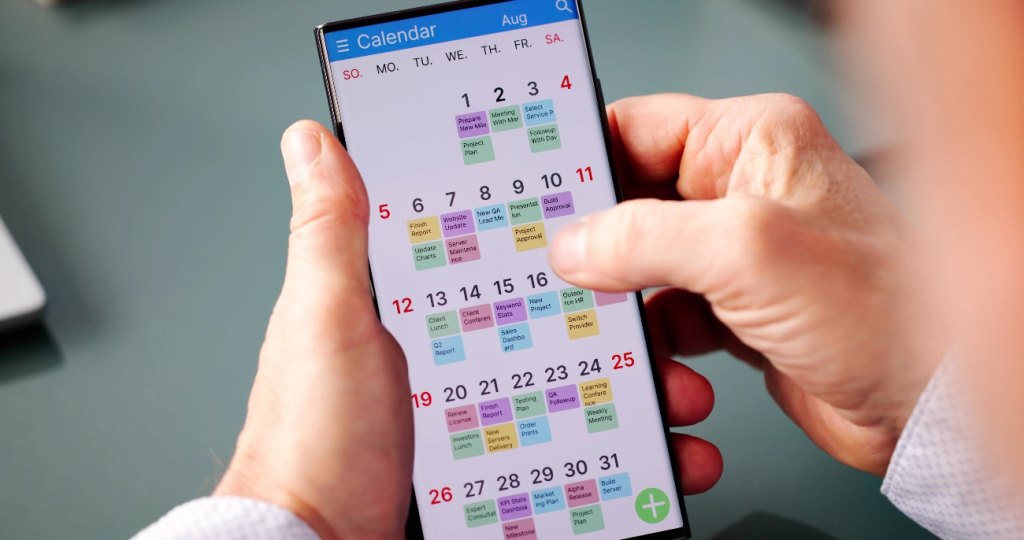
“The ‘repeat’ function on your calendar will help you avoid forgetting those quarterly or annual tasks, like changing the furnace filter or giving your dog his heartworm medicine,” notes Scheren. In Google Calendar, for example, when you add an event or a task, click on “more options” and you’ll see choices for how often it will repeat—anything from every Tuesday to annually on this date. “If you’re especially forgetful like me, you can add an alarm to make sure you notice the reminder,” she says.

Scan and sign documents in seconds

Did you know that Notes (available on every iPhone) can scan documents in just a few clicks? “Whenever you get a new insurance card or a physical document you want to have easy access to later, take a few seconds to scan it in right then,” suggests Scheren. You can even quickly sign a document in Notes by using the Markup button and adding a saved signature or creating a new one, making it easy to handle paperwork on the go.
The best part? You already have everything you need to make these tricks work—they’re built right into the phone that’s probably sitting next to you right now. Here’s to making technology work for you, not the other way around!
This article originally appeared in the February 2, 2026, issue of Woman’s World magazine.
Conversation
All comments are subject to our Community Guidelines. Woman's World does not endorse the opinions and views shared by our readers in our comment sections. Our comments section is a place where readers can engage in healthy, productive, lively, and respectful discussions. Offensive language, hate speech, personal attacks, and/or defamatory statements are not permitted. Advertising or spam is also prohibited.